
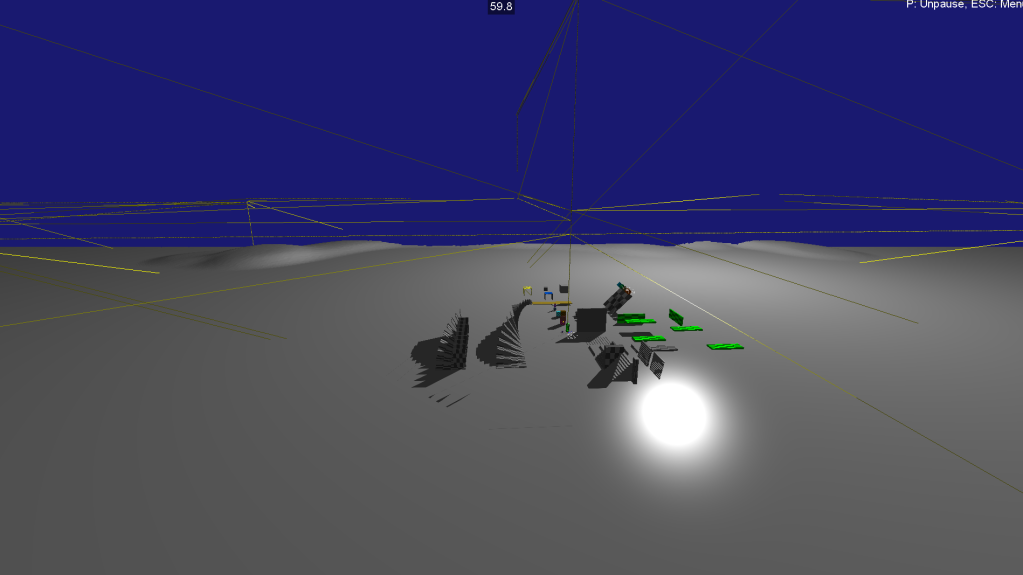
Now that my physics engine is in place and I can move the primary character around, I need to start sending positional information to all connected clients. To do this, I need to have a system that knows which characters are near each other and who should be able to see who. This is generally called an Area of Interest (AoI) or Interest Management system.
This is actually a lot more tricky than I initially thought, for a few reasons:
- We need to limit the amount of data we are sending to each client
- We need to hide data from cheaters (e.g. only send what’s necessary to render to the client, nothing more).
- We need to check to see if one client can actually see another client (ray cast from one player to another)
- We need to handle stealth players
- We need to cache (locally) the players that have seen each other so as to limit resending data.
- Server needs to track which players they’ve sent what data to (cache) so it can produce a per user/group delta.
If you’re looking for more information on AoI, here is some other reading material on it:
- Spatial Hashing in Mirror, a high level Networking library for Unity. Source code is available too.
- Research Paper on AoI in MMORPGs
- Photon Engine\s write up of the implementation and how to use their system
Initial Idea
I plan on using Jolt’s Sensors, which are trigger volumes in UE parlance, placed in the center of each mesh of the landscape. Each one of these meshes is represented by a Body in Jolt. This is the ‘local’ Area of Interest (AoI). Also in the center, I will place another sensor, which extends into the neighboring landscapes. This will be a more global AoI, and will be iterated first to build ‘groups’ of clients. Much like Jolt’s broadphase / narrowphase queries, these local and global volumes will allow the server to filter and group particular users together.
Once these groups are filtered, each individual client will most likely need to be compared to one another via a ray cast to see if they should be visible to one another. You don’t want to send positional data if they can’t see one another, that’s how you get cheaters who can see through walls or track stealth clients.
I think this AoI system will actually dictate how zones are built/designed. It may make sense to make landscapes with limited visibility to reduce how much data we have to send depending on the size of maps and locality of players. Just imagine a plains type biome where you can see for many kilometers in many directions, you’d need to send every players data so they could be rendered.
I’m sure there are a lot of interesting optimizations that can be done here too, but for now I’m going to go with my basic design and iterate on it.
Building the sensor volumes
For now I’m just re-using the Jolt samples application to test out my ideas. It’s a lot faster than having to build my library, start a fresh UE5 instance, press play etc. I think going forward, I may need to figure out a better pipeline for testing these things in UE5…
Making Sensors is pretty straightforward in Jolt, see the SensorTest for more detailed examples, but below is my implementation as I load each chunk of the serialized mesh:
auto LandscapeCenter = LandBody->GetShape()->GetLocalBounds().GetCenter();
auto LandscapeSize = LandBody->GetShape()->GetLocalBounds().GetExtent();

// Y is usually a plane, so too small for the convex radius (.05)
if (LandscapeSize.GetY() < 20.f)
{
	LandscapeSize.SetY(20.f);
}

BodyCreationSettings LocalSensorSettings(new BoxShape(LandscapeSize), LandscapeCenter, Quat::sIdentity(), EMotionType::Static, Layers::SENSOR);
LocalSensorSettings.mIsSensor = true;
mLocalSensorIDs.push_back(mBodyInterface->CreateAndAddBody(LocalSensorSettings, EActivation::DontActivate));
Keep in mind landscapes in UE5 are broken into a number of components. As I iterate loading each chunk of land, I’m getting the center and the extent. The Y axis (Z in UE5) is usually a flat plane, so I need to make sure it’s larger than the convex radius, otherwise Jolt will crash on an assert. Also we want the volume to be a tall box so players actually enter it.
Other than that, it’s pretty straight forward. We create a sensor, make it a box shape, set it’s position and set it to a new SENSOR layer for collision tests. We then set the class member mIsSensor is true. (Try not setting it, or setting it to false and see what happens :> hint: boom). Then I add all of these sensors to a vector to iterate and debug draw them, as you saw in the top of this post with the thin yellow lines making the various volumes.
Now for the global sensors (well, larger ones I call multi):
BodyCreationSettings MultiSensorSettings(new BoxShape(LandscapeSize*3), LandscapeCenter, Quat::sIdentity(), EMotionType::Static, Layers::SENSOR);
MultiSensorSettings.mIsSensor = true;
mMultiSensorIDs.push_back(mBodyInterface->CreateAndAddBody(MultiSensorSettings, EActivation::DontActivate));
Pretty straight forward, just multiple the size by 3 so it extends over it’s neighbors.
Then all we need to do is implement/inherit from the JPH::ContactListener class:
// SENSORS
virtual void			OnContactAdded(const Body &inBody1, const Body &inBody2, const ContactManifold &inManifold, ContactSettings &ioSettings) override;

virtual void			OnContactRemoved(const SubShapeIDPair &inSubShapePair) override;
Now we can track when clients (or other objects) enter and leave our sensor volumes!
Next, I’ll be playing with tracking these changes and trying to figure out what exactly to send clients and when.
 a place to jot