
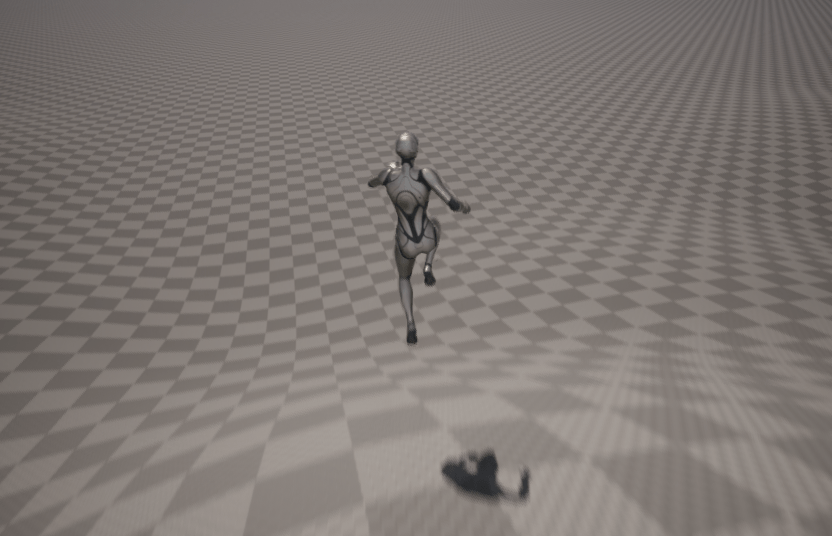
As cool as it is to see my character zooming around in the A pose, I wanted to fix up at least my own character class’s AnimBlueprint. By default the Animation blueprint is heavily coupled to the Character and CharacterMovementComponent. Meaning, me hijacking movement with Jolt’s physics isn’t going to work out of the box.
I need to rewire somethings.
Correcting some mistakes
Previously, my Character class added my custom CharacterMovementComponent as a TObjectPtr reference:
/** Custom movement component */
UPROPERTY(Category = Character, VisibleAnywhere, BlueprintReadOnly, meta = (AllowPrivateAccess = "true"))
TObjectPtr<UPMOMovementComponent> Movement;
What I didn’t realize is this actually made my Character actor have two MovementComponents!
Some components are private/set by default for various UE actors, and there is a special way to override these with the FObjectInitializer. Here’s how I did it for my Character/Movement component:
// Character class
APMOClientCharacter::APMOClientCharacter(const FObjectInitializer& ObjectInitializer) : Super(ObjectInitializer.SetDefaultSubobjectClass<UPMOMovementComponent>(ACharacter::CharacterMovementComponentName))
{
	// rest of class initialization
}

FVector APMOClientCharacter::GetVelocity() const
{
	auto Movement = Cast<UPMOMovementComponent>(GetCharacterMovement());
	if (!Movement)
	{
		return FVector::Zero();
	}

	return Movement->GetVelocity();
}
In the class constructor we call Super(…) to set our default sub-object class of the component we wish to override. The GetVelocity() method was added as that is what the default Animation Blueprint calls to get the velocity to determine if we are running/walking or just idle.
Now in my CharacterMovementComponent, I can override the various virtual functions that are called by the Animation Blueprint.
UCLASS( ClassGroup=(Custom), meta=(BlueprintSpawnableComponent) )
class PMOCLIENT_API UPMOMovementComponent : public UCharacterMovementComponent
{
	GENERATED_BODY()

public:
	// Sets default values for this component's properties
	UPMOMovementComponent(const FObjectInitializer& ObjectInitializer = FObjectInitializer::Get());

	/** Calls into Jolt (via ECS) to get our velocity */
	FVector GetVelocity() const;

	/** Returns Jolt Physics characters state **/
	virtual bool IsFalling() const override;

	/** Returns Jolt Physics characters state **/
	virtual bool IsMovingOnGround() const override;
The implementations of these are pretty straightforward, I’m just proxying over the state from the PMOModule and ultimately, from what Jolt is telling us the state of the character is:
FVector UPMOMovementComponent::GetVelocity() const
{
	if (!PMOSystem)
	{
		return FVector::ZeroVector;
	}

	auto Char = PMOSystem->GetCharacter();
	if (!Char)
	{
		return FVector::ZeroVector;
	}
	auto PMOVelocity = Char->GetVelocity();
	auto Vel = PMOConverters::VelocityToFVector(PMOVelocity);
	UE_LOG(LogTemp, Warning, TEXT("Returning Velocity: %s"), *Vel.ToCompactString());
	return Vel;
}

bool UPMOMovementComponent::IsFalling() const
{
	auto State = character::GroundState::InAir == GetGroundState();
	return State;
}

character::GroundState UPMOMovementComponent::GetGroundState() const
{
	if (!PMOSystem)
	{
		return character::GroundState::InAir;
	}

	auto Char = PMOSystem->GetCharacter();
	if (!Char)
	{
		return character::GroundState::InAir;
	}
	return Char->GetGroundState();
}
That’s pretty much it! However I think I need to tweak what values for velocity which it uses to determine running/walking, as my character walks for a very long time before the run animation transition starts.
If you’re curious what the AnimBlueprint is referencing, it’s the following:
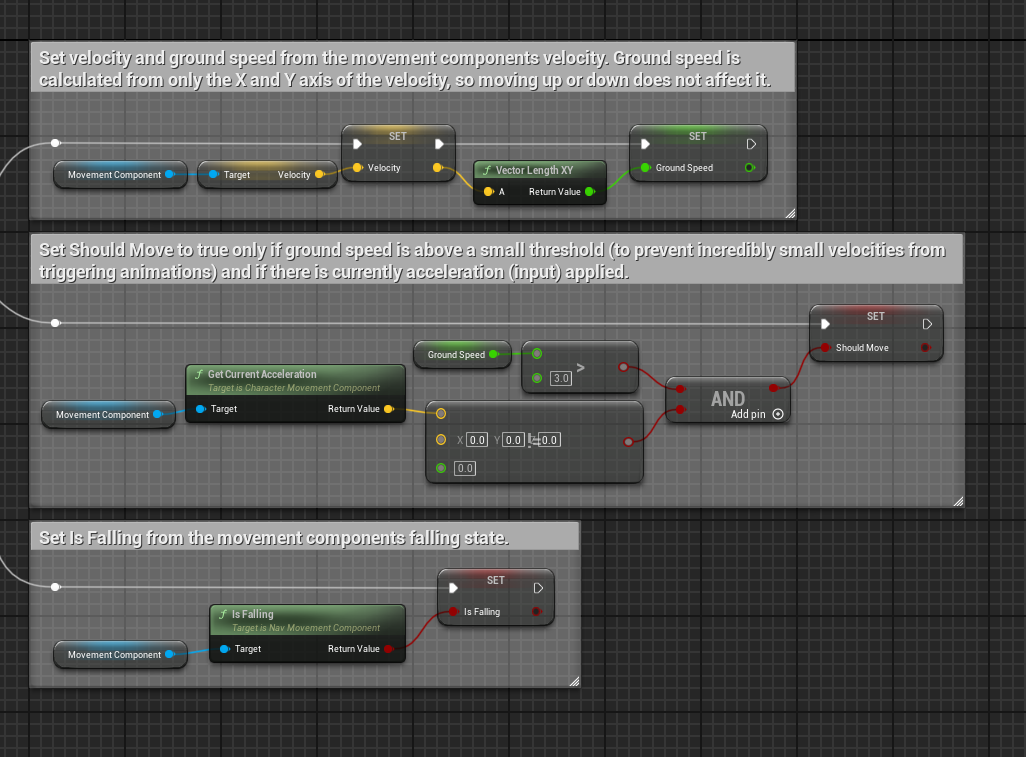
These nodes set various boolean flags for what the animation state is and ultimately what to play. You can see by default it sets three values, the ground speed, a bool of “should move”, and a bool of “is falling”. These all line up with the GetVelocity function I implemented and the IsFalling method I override.
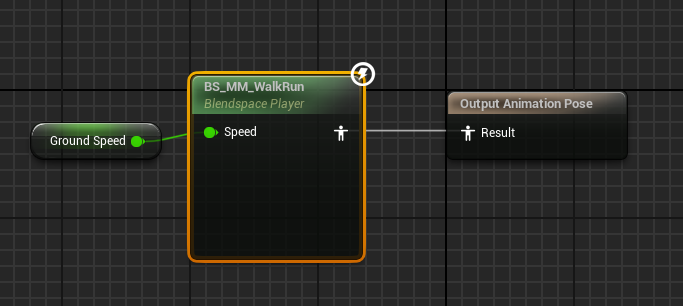
Looking into the animation graph for say, the WalkRun blend space, we can see it taking the ground speed value and using that to determine if the character should be walking or running.
Here’s the BlendSpace view:
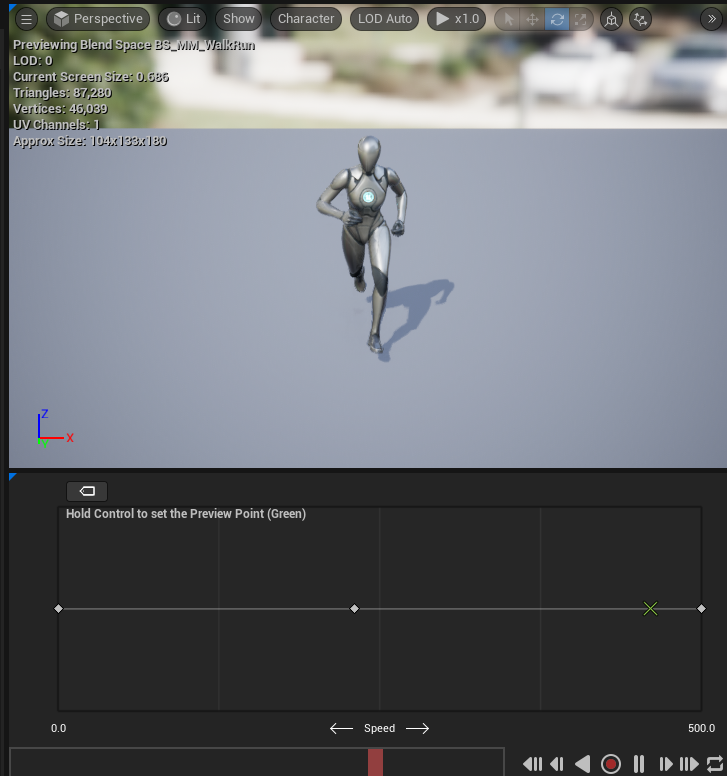
The three dots on the bottom represent the walk -> jog -> running transitions, and the green X marks what the animation would look like if the speed value was set at that point (a bit less than 500).
So there you have it, that’s how the MovementComponent influences the AnimBlueprint.
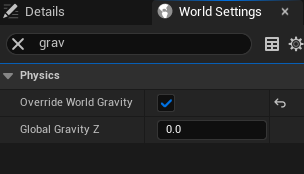
One other major thing I had to do, was shut off physics/gravity for the world. In the World Settings I set “Override World Gravity” and configured Global Gravity Z to zero. This stopped my character from oddly bouncing up and down because my SetActorLocation (which gets the location values from Jolt Physics) was fighting with Unreal’s gravity setting.
Anyways, here’s a quick video of the character class sort of working:
I still need to tweak many things, in particular:
- The character should actually rotate to the inputs, instead of just moving in those directions
- Strafing animations need to be implemented
- Walking backward animations need to be added, and the server and client need to enforce a slower movement speed if moving backwards (and maybe for strafing as well.)
Next up, I need to add this movement component to the NetworkCharacter class so they can also benefit from the animation blueprints!
 a place to jot