
As my vacation is nearing an end here, I wanted to cover what I’ve been up to. This is something I’ve wanted to do for a long time. Which is build out a custom, composable ability system (like Unreal’s Gameplay Ability System) and then build a bunch of bots to use those abilities fight each other thousands of times and figure out how balance the abilities given the results.
To iterate quickly, I ended up creating a whole separate project, pmocombat to test out these ideas. As usual it’s completely open source. I should warn you, I did use Claude code to generate probably 70-80% of this code (unlike my MMORPG project which is almost entirely written by me).
So hold on to your butts, this is going to be a long post.
(UPDATE: I had to make the repo private as I’m turning this into it’s own game!)
First Up, Abilities
This is my 3rd attempt maybe? At building a combat/ability system. First was an attempt using GAS, which is a one way ticket to arthritis with all the menus / dropdowns and blueprint nodes you need to click. Second was a much simpler C++ implementation that used CSV (ugh) files. Needless to say that had some serious disadvantages. But from both of those experiences what I learned was I wanted a text based system. A fellow game dev said they were testing out using flecs script to build out their system. Since I’m using flecs, flecs script makes total sense, so that’s what I went with!
I really want my abilities to be composed of effects, meaning I can mix and match base effects and add them into my abilities. Using flecs script I define my effects, like so:
prefab Stun {
    OnHit: {
        AssetSet: {
            Fx: "Generic Stun"
        }
        Modifiers: [
            {Modify: Consciousness, Amount: -100, Op: Percentage}
        ]
        RunDuration: 0.5
        Meta: {
            Category: Harmful
            IsPurgeable: true
            DispelPriority: 9
            EffectTag: "CrowdControl"
        }
    }
}
Effects can have OnHit, OnTick and OnEnd events defined. These effects in turn can be made up of multiple modifiers and some metadata about how they should be handled.
We can then take these effects and compose abilities out of them:
prefab Smite {
    AbilityCost: {
        CooldownDuration: 10.0
        CastTime: 2.0
        Cost: {Modify: Mana, Amount: -28}
    }
    OnHit: {
        AssetSet: {Fx: "Divine Smite"}
        Modifiers: [{Modify: HealthShield, Amount: -65, Class: HOLY}]
        TriggerPrefab: "Stun"
    }
    AttackShapes: {
        Shapes: [{Type: SPHERE, Radius: 4.0}]
    }
}
The ability defines the event, can have it’s own set of modifiers, as well as trigger an effect prefab. We define an ability cost to associate with it, a cooldown duration and a cast time. We also have to define what types of attack shapes we support. This will eventually translated into Jolt physics bodies for collision detection, but for now we do very basic collision checks.
The Event type (OnHit, OnTick, OnEnd) is the most interesting:
struct Event
{
	Assets AssetSet{};
	float StartDuration{};
	float RunDuration{};
	uint8_t NumTicks{0};
	uint8_t MaxTargets{1};
	TargetType ToApply{TargetType::ExcludeGroup}; // Who can be affected (default: enemies only)
	Requirements Required{};
	uint8_t ModifierCount{1};
	Modifier Modifiers[20]; // probably won't have this many on a single ability/event but who knows!
	// Allow this event to trigger a whole new prefab with it's own events
	const char* TriggerPrefab{nullptr};
	// Control how the prefab is triggered
	uint8_t TriggerCount{1};        // How many times to spawn the prefab (0 = use prefab's default)
	float TriggerInterval{0.0f};    // Time between triggers (0 = all at once, or use prefab's default)
	// Override the spawned prefab's internal timing
	uint8_t OverrideNumTicks{0};    // Override prefab's NumTicks (0 = use prefab's default)
	float OverrideRunDuration{0.0f}; // Override prefab's RunDuration (0 = use prefab's default)
	bool CanTargetDead{false};  // Allow targeting dead players (for resurrection)
	EffectMetadata Meta{}; // Buff/Debuff related
};

struct Requirements
{
	uint8_t RequiredModifierCount{0};
	Modifier RequiredModifiers[5];  // Must have these modifiers active
	uint8_t MinStacks{1};  // Minimum stacks needed
	const char* RequiredTag{nullptr};  // Optional tag-based requirement
	bool AllRequired{true};  // true = AND logic, false = OR logic
};
I think I’ve covered almost every case I can think of for the types of abilities I want to test / balance.
Another really important aspect of the system is the Modifier type. This is used in multiple places in effects and abilities:
struct Modifier
{
	ModifierType Modify{};
	DamageClass Class{DamageClass::INVALID}; // only set if our modifier type is a damage type, enforced by flecs system
	float Amount{};
	ModifierOp Op{ModifierOp::Add};
	TargetType ToApply{TargetType::All}; // who this is applied to (default all for whatever was hit)
	RemovalType RemoveHow{RemovalType::Invalid};
	Scaling Scale{};
};

enum class ModifierType : uint16_t
{
	Invalid,
	FallResistence,
	PierceResistence,
	SlashResistence,
	BluntResistence,
	FireResistence,
	IceResistence,
	LightningResistence,
	PoisonResistence,
	HolyResistence,
	CorruptionResistence,
	BloodResistence,
	AllResistence,
	// Effect related
	RemoveEffect,           // Generic effect removal (use Amount for num effects)
	ImmunityPhysical,
	ImmunityMagical,
	ImmunityDebuff,
	PreventDeath,           // Cannot die (stays at 1 HP)
	// Damage related
	HealthOnly, // health only
	ShieldOnly, // shield only
	HealthShield, // basically break through shield + health
	Mana,
	Stamina,
	// Position Related
	PositionX,
	PositionY,
	PositionZ,          // Relative displacement on Z axis (jump/fall)
	PositionForward,    // Move forward facing direction (-Value = backwards)
	PositionToward,     // Move toward target (-Value = away)
	// Movement Speed & awareness related
	Speed,
	AttackSpeed,
	Consciousness,
	MeleeMovement, // (E.g. can not use melee attacks)
	CastMovement, // (E.g. can not cast spells)
	Visibility, // E.g. black screen out & can't see
	// Misc / utility related
	Size,
	BlockHealing,
	Stealth,
};
Basically, abilities or effects can have one or more modifiers, and these modifiers can determine what is impacted, how it’s impacted, how to calculate it and other factors that would need to be taken into consideration when applying or removing them. Again, I think I covered all the different types I’ll need, but I’m struggling to think of additional things to apply here. The only one that stands out is pet based abilities, but I’ll probably model those as bots or something.
How these modifiers are applied is very long and complex since it depends on WHAT is being modified. Do note a lot of this code is completely unoptimized since we are going to be running this outside of a real game. Once I balance everything I’ll re-implement the majority of it into my MMORPG system.
So we now have an ability system that handles:
- Damage/Heals
- Buffs
- Resistences
- DoTs
- Different targeting types (all of which can be combined/mixed to have multiple shapes/styles):
- Projectiles
- Line
- Radial (think radial on the ground for targeting AoEs)
- Sphere
- Dispels/Purges
- Pulls/Stuns/Roots and other Crowd Control (CC)
Balancing Abilities, Bots and Behavior Trees
To understand if an ability is too strong, or too weak we need to be able to try them out under different circumstances and situations. From the beginning I knew I would need to simulate these situations but I wasn’t entirely sure how. Once I created the ability system I came to the conclusion I’d need to build bots to play out these abilities in a game like setting.
The first thing that pops into my head when I think game bot is, Behavior Trees (BT). I’ve written a custom BT implementation before in C# for a Unity based math game I wrote for my child. Think tower defense, with bosses you fight by solving math equations. So I’ve had some experience with them. Also, I’ve used Unreal Engine’s BT for some simple FPS game.
Looking at my options for C++ I first thought of BehaviorTree.CPP, but that’s pretty heavy/complicated and while I LOVE the look of the tooling, I do not want to mess with XML files.
I started to think, well if I’m already using flecs script for abilities which … are composable… why not just use flecs script for a custom behavior tree implementation which is also composable?
So that’s pretty much what I did. I had Claude go off and come up with a simple implementation of all the node types: Selector, Sequence, Parallel, Condition etc. Then I came up with a list of action types I’d need:
// Cast an ability from the owner's ability slots
Status CastAbility(const TickContext& Ctx, flecs::entity Node);

// Move toward the current target
Status MoveToTarget(const TickContext& Ctx, flecs::entity Node);

// Wait for a duration (useful for delays)
Status Wait(const TickContext& Ctx, flecs::entity Node);

// Condition implementations

// Check if there's a valid target in perception
Status HasTarget(const TickContext& Ctx, flecs::entity Node);

// Check if target is within range
Status IsInRange(const TickContext& Ctx, flecs::entity Node);

// Check if a specific ability is within cast range of current target
Status CheckIfAbilityInRange(const TickContext& Ctx, flecs::entity Node);

// Check if owner has enough of a resource
Status CheckResource(const TickContext& Ctx, flecs::entity Node);

// Check if current target's health is within specified range
Status CheckTargetHealth(const TickContext& Ctx, flecs::entity Node);

// Check if target or self has a specific buff/debuff
Status CheckBuffStatus(const TickContext& Ctx, flecs::entity Node);

// Check if an ability slot is on/off cooldown
Status CheckCooldown(const TickContext& Ctx, flecs::entity Node);

// Check if a certain number of entities matching filter are within range
Status CheckEntityCount(const TickContext& Ctx, flecs::entity Node);

// Check if average team health within radius is in specified range
Status CheckTeamHealthAverage(const TickContext& Ctx, flecs::entity Node);

// Check if owner is threatened (low health + enemies nearby)
Status CheckThreatLevel(const TickContext& Ctx, flecs::entity Node);

// Check if current target has line of sight
Status CheckLineOfSight(const TickContext& Ctx, flecs::entity Node);

// Check if owner is within distance range of a specific location
Status CheckDistanceToLocation(const TickContext& Ctx, flecs::entity Node);

// Check if owner is casting (so we don't move and interrupt)
Status CheckCasting(const TickContext& Ctx, flecs::entity Node);

// Compare owner's resource to target's resource
Status CompareSelfToTarget(const TickContext& Ctx, flecs::entity Node);

// Select a target and store in a SelectedTarget component
Status SelectTarget(const TickContext& Ctx, flecs::entity Node);

// Select an ability based on game state and store in SelectedAbility component
Status SelectAbility(const TickContext& Ctx, flecs::entity Node);

// Move forward toward map center (patrol/exploration behavior)
Status MoveForward(const TickContext& Ctx, flecs::entity Node);
A pretty good start of actions that our bots can take! This is still very much a work in progress and I’m continuously tweaking their trees. While Claude did an amazing job learning the BT flecs based DSL, it definitely had quite a few problems that I’ve had to manually debug. One example is, Claude would create trees where the caster would start casting, then immediately start moving, interrupting the casting, and then the bots would never kill each other.
The bots it came up with are pretty impressive, not going to lie there. I was also impressed with the test I had it create to turn the custom flecs script bots into SVGs so you can visualize them. Here’s our melee dps bot’s logic: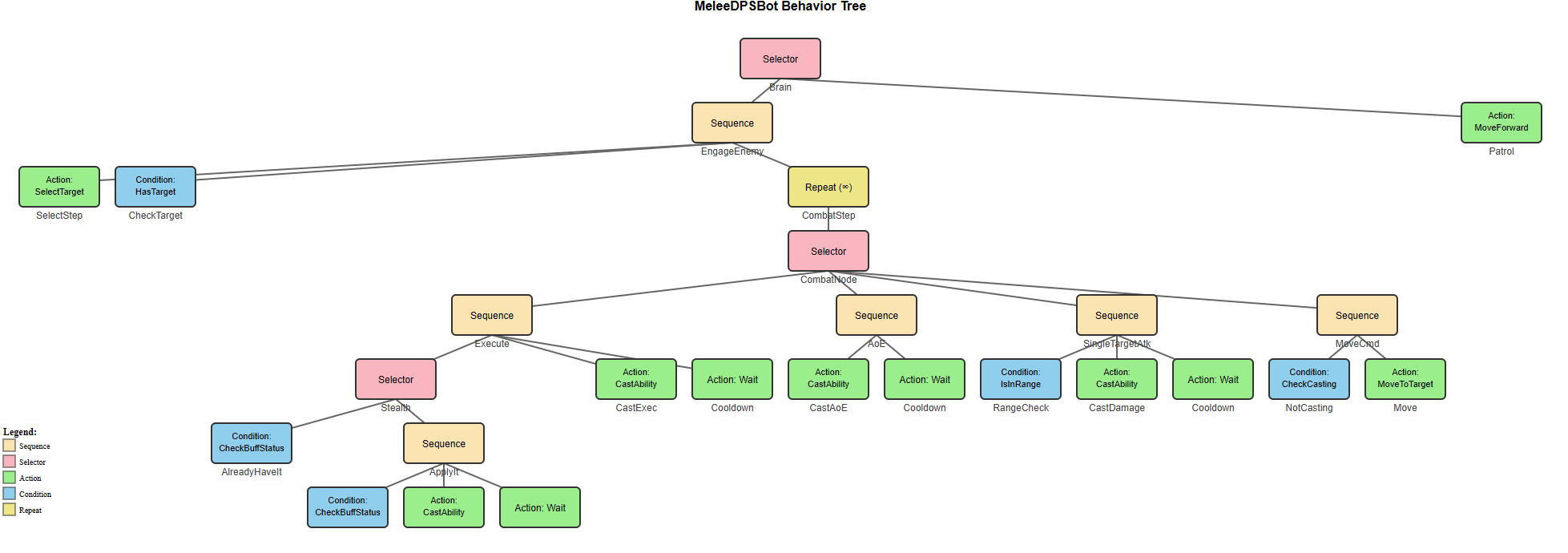
I think I’ll probably create some additional tooling to assist in creating these trees, because jeez, they not fun to type out by hand. BT’s are notoriously finicky and any help you can get in making them not get stuck in stupid situations will be a major time saver.
Running simulations
I’m still in the process of testing out my bots, but my simulation does work, I can choose up to 4 teams and 6 players per team. They will be evenly distributed across a 256×256 grid map and simply try to go towards the center until they detect one another and then will start fighting.
I can choose bot styles, which determine their abilities, or completely randomize everything. After that, the simulation starts and they pretty much just fight to the death. We record which team won and what abilities it used.
--- Player Positions (t=38.8) ---
[DEBUG] Entity:1945 Team:0 Pos:(128,121) HP:81/200
[ACTION] CastAbility called for entity 1968
[ACTION] CastAbility called for entity 1945
[CAST] Cast complete for entity 1945
[ABILITY] ArrowShot cast by entity 1945 at (128, 121)
[PROJECTILE] Spawned projectile 8589936599 toward (0, 1) Speed=35
  Found 0 potential target(s)
[ACTION] CastAbility called for entity 1945
[ACTION] CastAbility using ability selection strategy
[ACTION] CastAbility selected slot 2
[ACTION] CastAbility found ability: PoisonDart
[CAST] Starting cast of ability from slot 2 (CastTime=1s)
[ACTION] CastAbility called for entity 1968
[PROJECTILE] Hit entity 1968 at distance 0
Destroying Projectile: 8589936599 <<
[ACTION] CastAbility called for entity 1945
1968  -> MARKED DEAD!
[CAST] Cast complete for entity 1968
[ABILITY] PoisonDart cast by entity 1968 at (128, 122)
[PROJECTILE] Spawned projectile 12884903895 toward (-4.37114e-08, -1) Speed=20
  Found 0 potential target(s)
[ACTION] CastAbility called for entity 1945
1968  -> MARKED DEAD!
[PROJECTILE] Hit entity 1945 at distance 0
Destroying Projectile: 12884903895 <<
[ACTION] CastAbility called for entity 1945
1968  -> MARKED DEAD!

--- Player Positions (t=39.8) ---
[DEBUG] Entity:1968 Team:1 Pos:(128,122) HP:0/200 [DEAD]
[ACTION] CastAbility called for entity 1945
1968  -> MARKED DEAD!
Tick 200 - Living players: Team 0: 1 Team 1: 0

=== Simulation Complete ===
Ticks: 200
Winner: Team 0

=== Final Player Status ===

Team 0:
  Player 0 - Health: 63 / 200

Team 1:
  Player 0 - Health: 0 / 200 [DEAD]
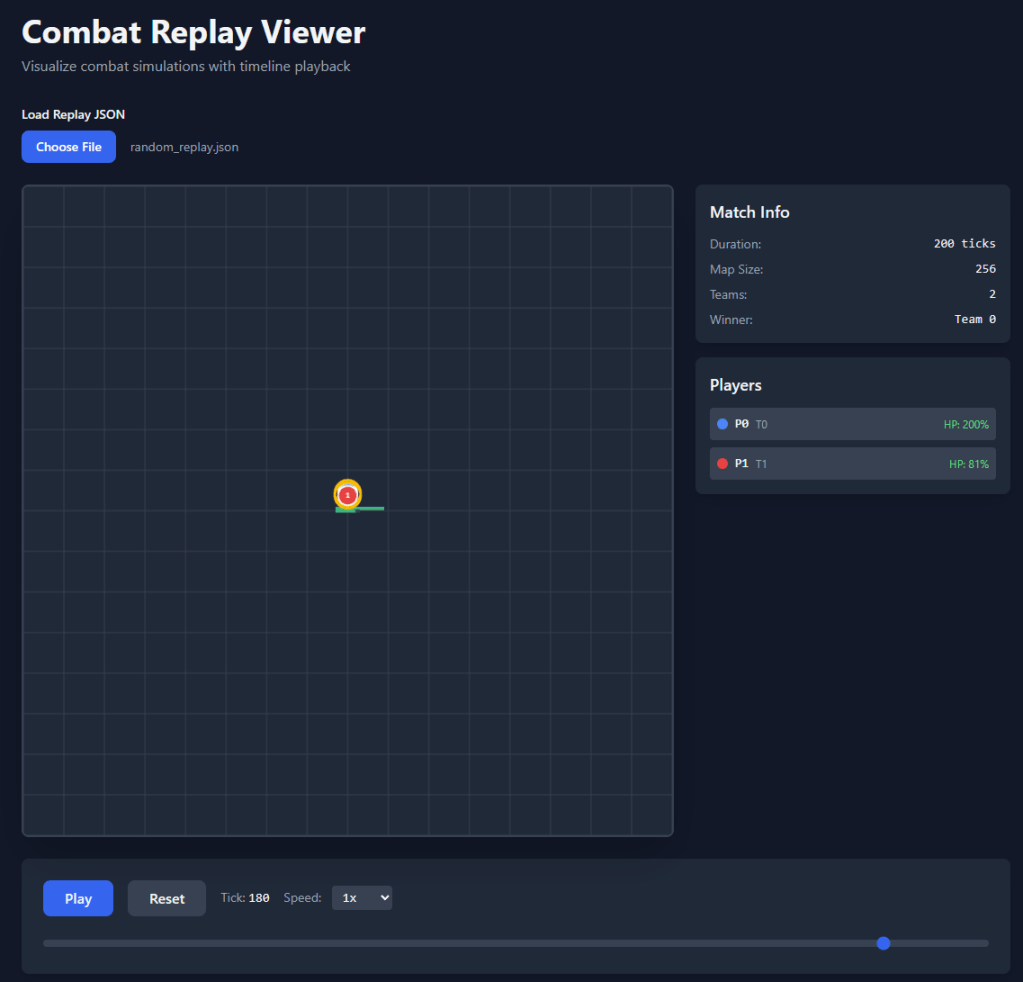
I even had Claude whip up a HTML5 web components only based viewer so I can replay the battle: .\combat.exe -s random --replay-output ..\..\render\random_replay.json. That saves the output so I can load it in and replay various steps of the battle: 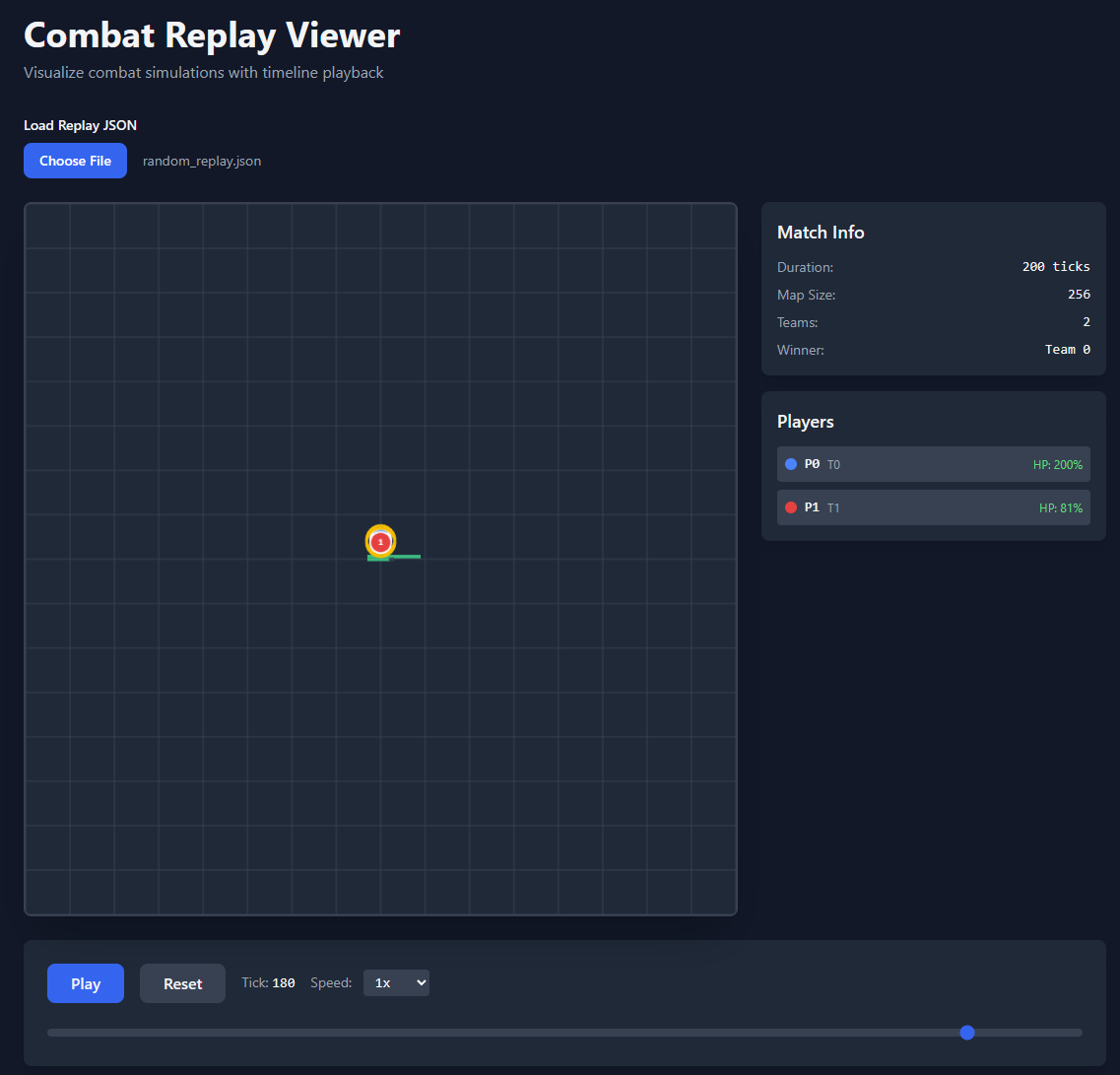
Where this is all heading
I will be running these simulations probably thousands if not millions of times, allowing a genetic algorithm to dynamically update the abilities. Since abilities and their properties are all text based, we can modify them and reload the simulation to test out variations of them.
Using these systems I want it to figure out if there’s any overpowered or underpowered spells and automatically balance them out over time.
I started having Claude create scripts for orchestrating it all, but until I am 100% confident my bots are working correctly for all skills I’m going to hold off running it. I’ll probably cover that part in more detail for my next post. I really want to dive into the various techniques and styles of testing / balancing abilities to make sure I really understand what it’s doing here. This little project is a perfect place to learn as I control and understand all of the various components!
I also need to capture a lot more information between my battles, maybe add observers so I can capture BT node changes, when abilities are used etc. I also will probably end up making a BT editor so I can easily create new bot play styles.
That wraps up this post, hope you learned something, I know I have!
 a place to jot