
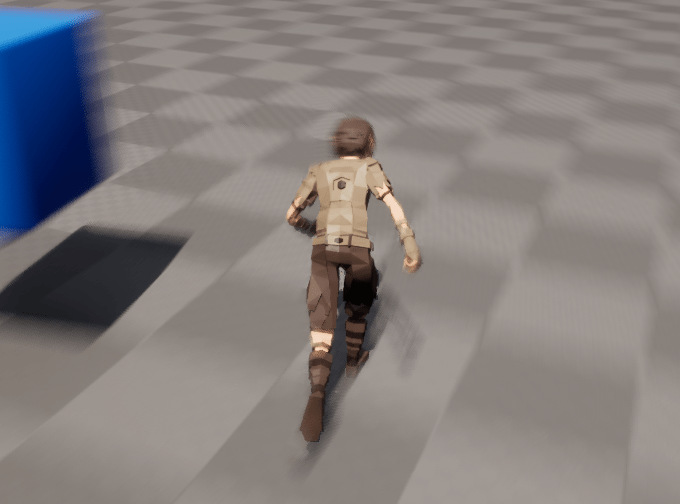
I still have a few more days off here, but I wanted to cover the last part of this series before I move into combat/ability systems. Although it’s not really optimization per-say, it will appear like one to players, and that’s client side prediction. I am by no means an expert in this, but I can say that visually, my movement looks a hell of a lot better now with these in place then it did previously.
Interpolation
There’s really two things to think about here: Your player characters transform, and your networked players/entities transforms. Let’s start with the current player’s transform first.
Right now Jolt handles all location/rotation information, I use Jolt physics to calculate everything given the players inputs, camera rotation, yaw and pitch. I then take the results of the physics step calculation then send that information (rotation, position, velocity) back into Unreal Engine’s Player MovementComponent.
This data first comes from an ECS system in our UE GameWorld:
FlecsWorld.system<character::PMOCharacter>("OnUpdatedMovement")
.kind(flecs::PreStore)
.each([&](flecs::iter & It, size_t Index, character::PMOCharacter & Character)
	{
		if (!LocalPlayer)
		{
			return;
		}

		auto Component = LocalPlayer->GetComponentByClass<UPMOMovementComponent>();
		if (!Component)
		{
			UE_LOG(LogTemp, Warning, TEXT("PreStore: UpdateLocalAttributes error player does not have UPMOAttributesComponent!"));
			return;
		}

		auto Position = Character.GetPosition();
		auto FPos = PMOConverters::PositionToFVector(Position);

		auto Rotation = Character.GetRotation();
		auto FRot = PMOConverters::QuatToFQuat(Rotation);

		auto Velocity = Character.GetVelocity();
		auto FVel = PMOConverters::VelocityToFVector(Velocity);
		Component->UpdateLocationAndRotation(FPos, FVel, FRot);
	});
This then updates the properties of the movement component:
void UPMOMovementComponent::UpdateLocationAndRotation(FVector& Location, const FVector& Vel, const FQuat& Rotation)
{
	auto Player = Cast<APMOClientCharacter>(this->GetOwner());

	if (!Player)
	{
		UE_LOG(LogTemp, Warning, TEXT("Failed to get Player from MovementComponent"));
		return;
	}

	PlayerVelocity = Vel;
	UpdateComponentVelocity();

	Location.Z += Player->CapsuleSize;
	CurrentLocation = Location;
	CurrentRotation = Rotation;
}
We only capture the current location/rotation as seen from Jolt, to actually change our characters position we use Player->SetActorLocationAndRotation in the TickComponent. Before we were simply taking the CurrentLocation and CurrentRotation from above and doing:
Player->SetActorLocationAndRotation(CurrentLocation, CurrentRotation);
This made our screen and character jitter / shake quite a bit due to quantizing the rotation values and losing some precision, as well as not interpolating the previous location and the current one. A fact to keep in mind is that UE5 is running at 60+ fps, where as flecs (and Jolt) is running at 30 fps. Actually, thinking about that fact makes me think I should maybe be interpolating the difference more precisely by knowing how many frames have occurred between the physics update and this movement tick component update…
Anyways, I changed it now to use interpolation:
void UPMOMovementComponent::TickComponent(float DeltaTime, ELevelTick TickType, FActorComponentTickFunction* ThisTickFunction)
{
	Super::TickComponent(DeltaTime, TickType, ThisTickFunction);
	auto Player = Cast<APMOClientCharacter>(this->GetOwner());

	if (!Player)
	{
		UE_LOG(LogTemp, Warning, TEXT("Failed to get Player from MovementComponent"));
		return;
	}

	FVector NewLocation = FMath::VInterpTo(LastLocation, CurrentLocation, DeltaTime, 10.f);
	FQuat NewRotation = FMath::QInterpTo(LastRotation, CurrentRotation, DeltaTime, 10.f);

	Player->SetActorLocationAndRotation(NewLocation, NewRotation);
	LastLocation = NewLocation;
	LastRotation = NewRotation;
}
We aren’t really doing any prediction for the player, we are just assuming whatever our physics engine told us is correct (which can be incorrect if we desync, see my long series on figuring out how to rollback client physics…). For vectors we use VInterpTo and for Quaternions we use QInterpTo. We then call into SetActorLocationAndRotation and then update our LastLocation with this newly calculated location and do the same for the rotation.
Now when we rotate our character/camera while moving, we get MUCH less shaking / blurring effects!
Our networked player and entities are a bit different, we need to do real prediction here, but before that we need to capture some information.
Predicting client movement
This time let’s work backwards, from what we have to how we get all the necessary information to calculate it. Our network players have a custom MovementComponent that behaves simliar to our players movement component. Again we set the current location/rotation’s but then in the TickComponent we are extrapolating and predicting where the networked player should be. Here’s how we are calculating it:
void UPMONetworkMovementComponent::TickComponent(float DeltaTime, ELevelTick TickType, FActorComponentTickFunction* ThisTickFunction)
{
	Super::TickComponent(DeltaTime, TickType, ThisTickFunction);
	auto Player = Cast<ANetworkCharacterActor>(this->GetOwner());

	if (!Player)
	{
		UE_LOG(LogTemp, Warning, TEXT("Failed to get NetworkPlayer from MovementComponent"));
		return;
	}
	float Prediction = !FMath::IsNearlyZero(ServerRTT) ? (ServerRTT / 1000.f) : 0.05f; // server rtt or 50ms prediction
	FVector ExtrapolatedTarget = CurrentLocation + (Velocity * Prediction);
	FVector NewLocation = FMath::VInterpTo(LastLocation, ExtrapolatedTarget, DeltaTime, 5.f);
	FQuat NewRotation = FMath::QInterpTo(LastRotation, CurrentRotation, DeltaTime, 5.f);

	Player->SetActorLocationAndRotation(NewLocation, NewRotation);
	LastLocation = NewLocation;
	LastRotation = NewRotation;
}
This time we first see if we have a Round Trip Time (RTT) calculated, and if not, default to about 50ms of prediction lead time. We take our current location and multiply our velocity by that predicted time as our target location. Then much like before we interpolate the last location to this new location and update the values after seting the actors location/rotation.
Now, how do we get the RTT?
Getting the RTT
In our game library, we send input’s/updates to the server every tick, this is done in the flecs SendPlayerInputs system. To calculate the RTT we needed to add a new property to our client state to capture when we send our updates out and which sequence id it was sent with.
struct ClientStateBuffer
{
	// ...
	std::array<std::chrono::time_point<std::chrono::steady_clock>, MaxSequenceId> SendTimes{};
	// ...
}
We then capture it for each sequence Id in SendPlayerInputs:
auto Now = std::chrono::steady_clock::now();
ClientState.SendTimes[ClientState.State.SequenceId] = Now;
Since the server sends back client acknowledgements, we can then look for that sequence id in our SendTimes array when we go to update our current player:
void PMOWorld::UpdateCurrentPlayer(const Game::Message::PlayerState *State, const uint8_t SequenceId, const uint64_t ServerTime, const uint8_t LastClientAckId)
{
	auto& ServerState = Player.get_mut<network::ServerStateBuffer>();
	auto& ClientState = Player.get<network::ClientStateBuffer>();
	// .. process other stuff
	bool bSameAckId = ServerState.LastClientAckId == LastClientAckId;

	auto& PlayerRTT = Player.get_mut<network::ServerRTT>();
	if (!bSameAckId)
	{
		// Update our players RTT since this is a non-duplicate packet, so we can calculate lag compenstation
		auto SendTime = ClientState.SendTimes[LastClientAckId];
		auto RTT = std::chrono::steady_clock::now() - SendTime;
		auto RTTMs = std::chrono::duration_cast<std::chrono::milliseconds>(RTT).count();
		PlayerRTT.Update(RTTMs);
	}
	// ...
}
Provided we didn’t get a duplicate packet, we pull our SendTime data out of our client state with the client ack from the server’s update. We then subtract our current time from the send time of taht sequence Id and call in to our new ServerRTT component:
struct ServerRTT
{
	float RTT{};
	float SmoothingFactor{0.125f};

	/**
	 * @brief Updates our most recent RTT
	 */
	void Update(const float NewRTT)
	{
		RTT = SmoothingFactor * NewRTT + (1.0f - SmoothingFactor) * RTT;
	}
};
I decided to go with what TCP uses for it’s time out / resend calculation that is apart of Jacobson’s Algorithm. This is a good write up on it, which I recommend reading! Of course since we are doing unreliable UDP we don’t care about resends, we just care about calculating the RTT with the ability to smooth over potential spikes/packet loss. Here’s roughly how it works:
RTT = 0.125 * NewRTT + 0.875 * PreviousRTT
We take 12.5% of the new RTT value and 87.5% of the previous RTT value. So if we have a Previous RTT of 100ms, and all of a sudden the next packet takes 200ms, we’d end up with an RTT of
0.125 * 200ms + 0.875 * 100ms = 112.5ms
If we continue to get 200ms pings, that value will slowly go up. If we set the smoothing factor to a higher number, it would react faster to spikes, but if these spikes only happen every once in a while, a more smooth/smaller change is probably better.
So we now have our RTT for our player calculated! Enabling debugging gives us the following:
[2026-01-03 14:55:05.357] [test] [debug] Desync Check Server: 15 Last 16 RTT: 7.734375
[2026-01-03 14:55:05.391] [test] [debug] Desync Check Server: 16 Last 17 RTT: 10.892578
[2026-01-03 14:55:05.425] [test] [debug] Desync Check Server: 17 Last 18 RTT: 13.656006
...
[2026-01-03 14:55:06.203] [test] [debug] Desync Check Server: 8 Last 9 RTT: 31.943941
[2026-01-03 14:55:06.236] [test] [debug] Desync Check Server: 9 Last 10 RTT: 32.07595
[2026-01-03 14:55:06.270] [test] [debug] Desync Check Server: 10 Last 11 RTT: 32.191456
Eventually it stabilizes around 33ms for my localhost connection. You maybe wondering why does it take 33ms RTT for a local connection? Because we have a jitter buffer! Remember, we don’t read in packets as they come in, they fill out a jitter buffer so that if we lose packets we can fill out the buffer with the missed data and still process everything in order so our physics simulations stay synchronized. Here we can see that the packet gets processed about one frame in the past.
Now to get this value to Unreal Engine we simply create a flecs system in our GameWorld:
FlecsWorld.system<network::ServerRTT>("UpdateRTT")
	.kind(flecs::PreStore)
	.each([&](flecs::iter& It, size_t Index, network::ServerRTT& RTT)
	{
		ServerRTT = RTT.RTT;
	});
Then finally we pass this data along to our network actor:
RefActor->Update(FPos, FVel, FRot, ServerRTT);
Eventually the tick component is called and now we can more accurately predict where this network player will be given it’s velocity and the current players RTT to the server.
I tried to take a recording with Screen2Gif and could only show the difference if i set the FPS to 60.
Before:
After:
 a place to jot